Word searches for 3rd graders are an excellent way to boost vocabulary and spelling skills while keeping learning fun. These puzzles challenge young learners to find words hidden among jumbled letters, promoting critical thinking and attention to detail. Teachers and parents can use these resources to create engaging activities that fit into lesson plans or home learning. Let’s explore how to effectively use word searches in the classroom and at home, along with tips for creating your own.
Benefits of Word Searches for 3rd Graders
Word searches offer several educational benefits. They help improve spelling, increase vocabulary, and enhance cognitive skills. Here’s a closer look at the advantages:
- Vocabulary Development: Children learn new words by seeing them in context. This exposure aids retention and understanding.
- Spelling Practice: Finding words reinforces correct spelling through repetition. It’s a fun way for students to practice what they learn in lessons.
- Cognitive Skills: Solving puzzles encourages critical thinking and problem-solving skills. Kids must scan the letters and think strategically about word placement.
- Focus and Concentration: Completing a word search requires sustained attention, which can help improve concentration over time.
By integrating word searches into your teaching approach, you’re not just making learning enjoyable; you’re also supporting key developmental skills.
How to Use Word Searches in the Classroom
Incorporating word searches into your classroom routine can be easy and effective. Here are some practical ways to use these resources:
1. Vocabulary Reinforcement
After introducing new vocabulary words, provide a word search that includes those terms. This reinforces learning and allows students to practice spelling.
2. Thematic Learning
Create word searches based on themes or subjects. For instance, if you’re teaching about animals, include animal names in the search. This connects vocabulary to real-world concepts.
3. Group Activities
Use word searches as a collaborative group activity. Divide the class into small teams and have them race to complete a word search. This fosters teamwork and communication skills.
4. Homework Assignments
Assign word searches as homework to reinforce lessons. Parents can easily download and print them, making it a convenient option for at-home learning.
5. Class Rewards
Offer word searches as a fun reward or brain break. After completing a lesson or unit, use puzzles as a way to celebrate achievements and keep spirits high.
By aligning word searches with your curriculum, you can maximize their educational impact while keeping students engaged.
Creating Your Own Word Searches
If you’re looking for customized options, creating your own word searches is a straightforward process. Here’s how to do it:
1. Choose Your Theme
Decide on a theme that aligns with your lesson objectives. Consider seasonal topics, subjects in history, or even math terms for a cross-curricular approach.
2. Select Words
Pick relevant words to include in the puzzle. For 3rd graders, aim for 10-15 words that vary in length and complexity to maintain engagement.
3. Use Online Tools
There are several online tools available that allow you to generate word searches easily. Simply input your chosen words, and the tool will create a printable puzzle for you.
4. Test Your Puzzle
Before distributing, solve the puzzle yourself to ensure that all words are correctly placed and that it’s suitable for your students’ skill levels.
5. Print and Distribute
Print the word searches on standard letter-sized paper (8.5″x11″). For durability, consider using cardstock, especially if you plan to laminate them for repeated use.
Creating your own word searches can be a rewarding process. It allows you to tailor the learning experience to your students’ needs.
Downloadable Word Searches for 3rd Graders
For those who prefer ready-made resources, many websites offer downloadable word searches specifically designed for 3rd graders. Here are some key features to look for:
- Grade-Appropriate Content: Ensure the vocabulary used is suitable for 3rd-grade reading levels. This keeps the activity challenging yet accessible.
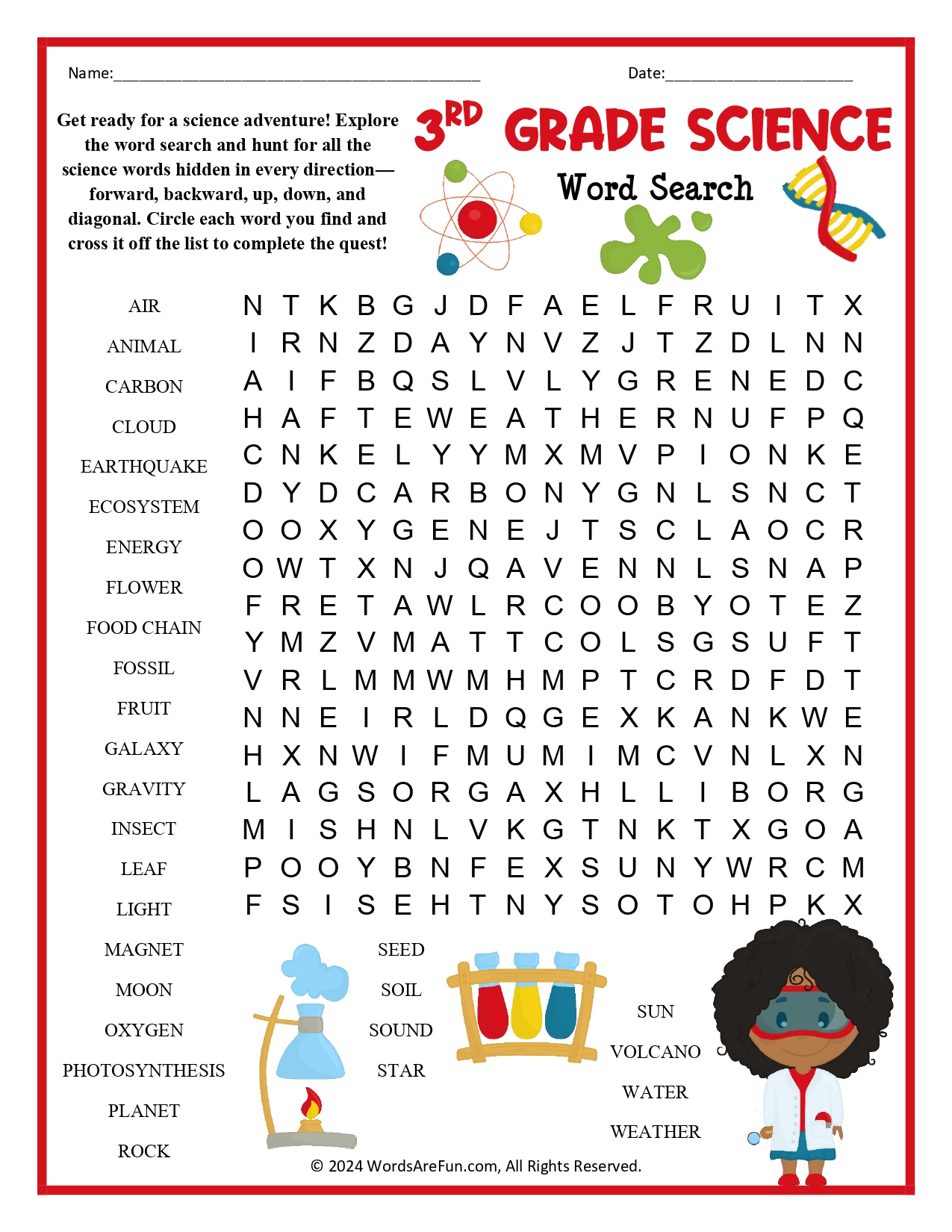
- Thematic Variations: Look for options that cover various themes, such as holidays, seasons, or specific subjects like science or literature.
- Printable Formats: PDFs are ideal as they maintain formatting across devices, ensuring a smooth printing experience.
- Answer Keys: Some resources include answer keys, which can be helpful for teachers checking completed puzzles.
Downloading pre-made word searches can save time and provide high-quality resources that stimulate learning.
Tips for Maximizing Engagement
To make word searches more engaging for 3rd graders, consider the following strategies:
- Incorporate Technology: Use tablets or computers for digital word searches. Many educational apps offer interactive word search games.
- Combine with Other Activities: Pair word searches with related activities, such as writing sentences using the words found or illustrating a scene based on the theme.
- Allow for Creativity: Encourage students to create their own word searches for classmates. This promotes creativity and reinforces their understanding of vocabulary.
- Set Time Challenges: Make it a fun competition by timing how fast students can complete the search. This adds an element of excitement to the activity.
By implementing these strategies, you can keep students motivated and eager to participate in learning activities that feature word searches.